Every call on every job, in one plan.
Plan calls across every job, invite crew to answer on their phones, and approve their timesheets. Crew never need a login.
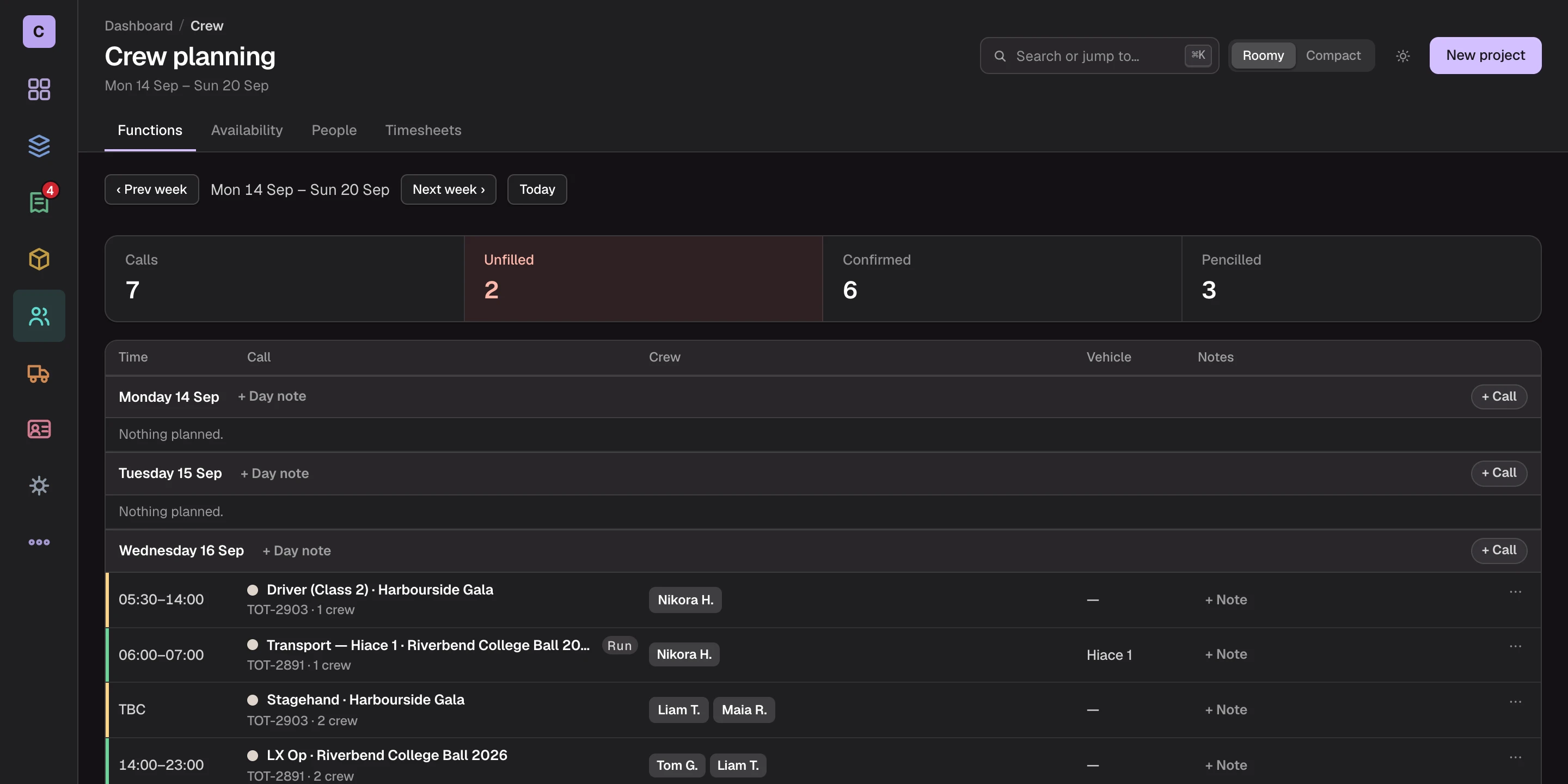
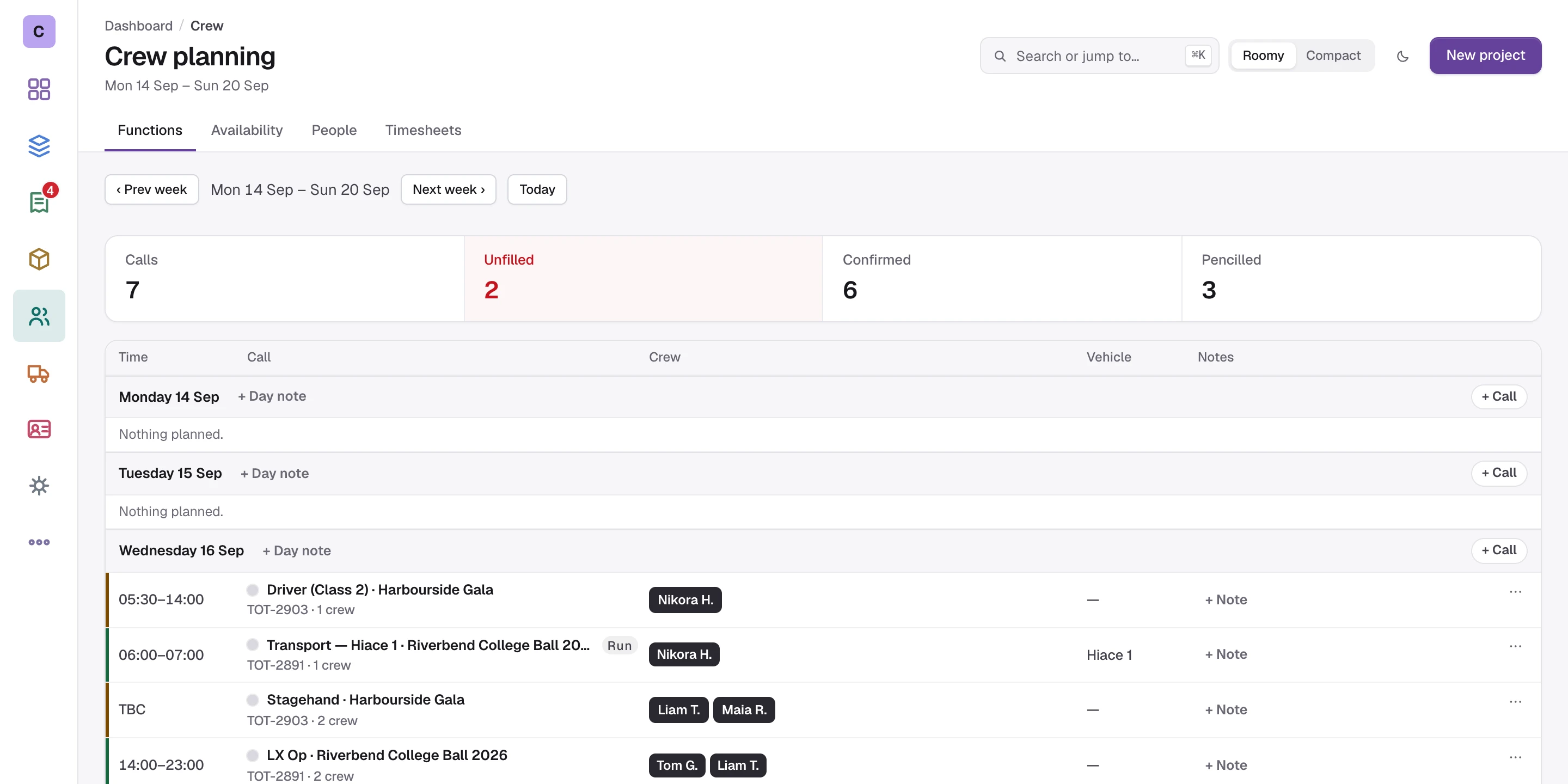
Crew plans live in a spreadsheet, a group chat and someone's head.
Who said yes, who is on leave, which call moved and how many hours were worked: it is all written down somewhere, just never in the same place. Cue-RMS keeps the plan, the answers and the hours on the job they belong to.
How Cue-RMS runs the crew.
- Q1
Roles on the job
Add crew and transport roles to a job with a headcount, times, and an hourly or day rate. A day rate can bill overtime past a set day length.
- Q2
A week plan
Every call across every job, day by day, with what is confirmed, pencilled or still short. A clash with leave or another job is flagged on the spot.
- Q3
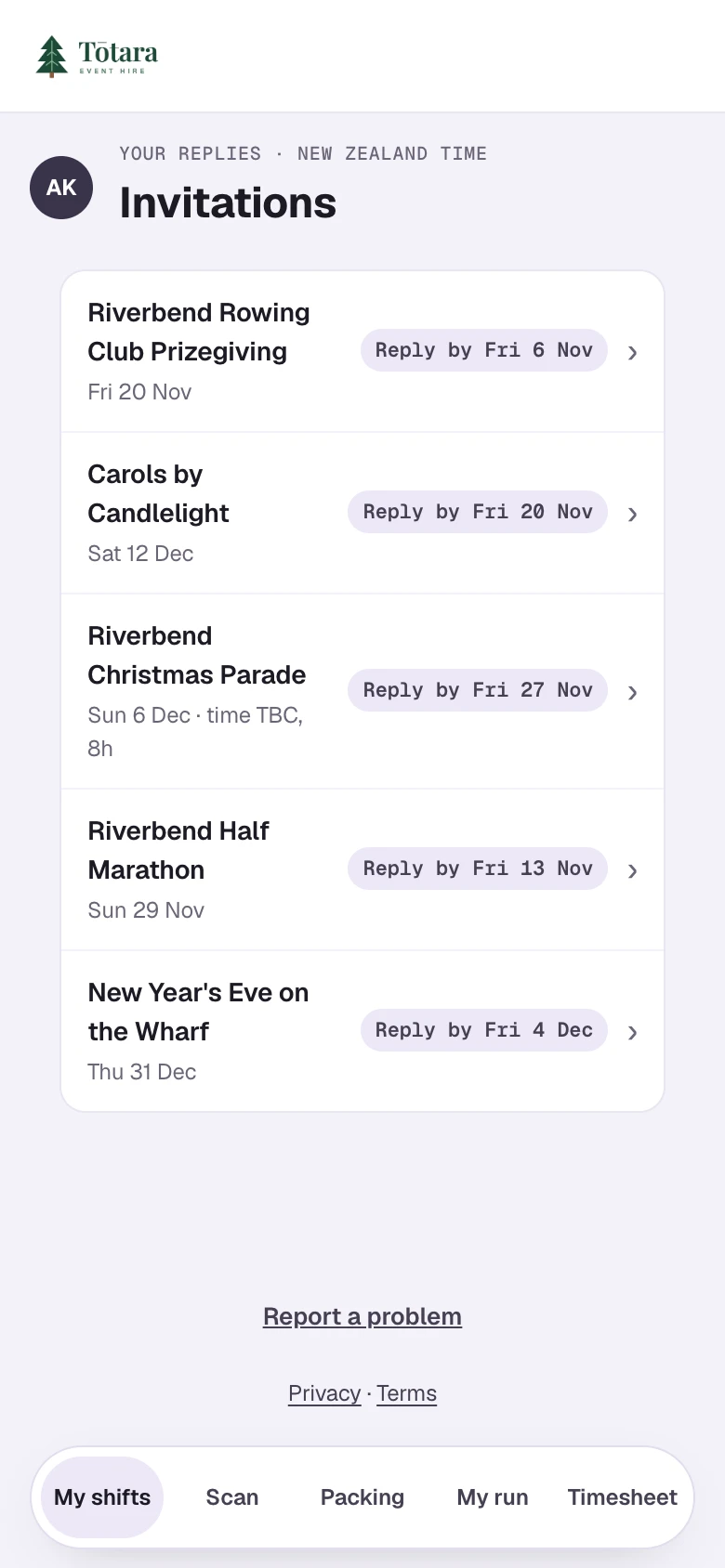
Invitations on a phone
Crew accept or decline each call from their link. If the call changed or filled in the meantime, the answer waits for a coordinator. One reminder goes out a day before the reply is due.
- Q4
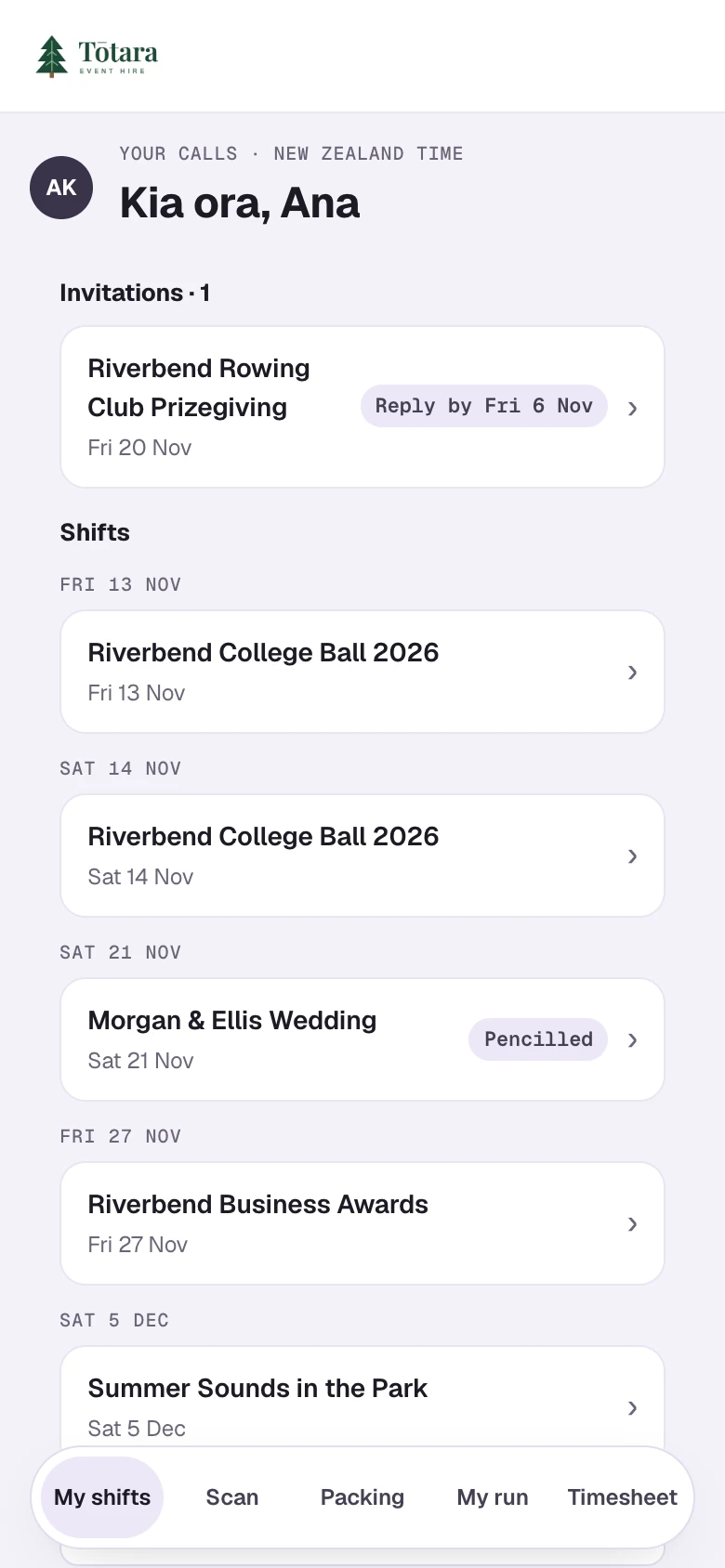
Their own portal
Each person's private link opens their shifts, the lead's phone number, directions and site information. It never shows prices.
- Q5
Timesheets, approved
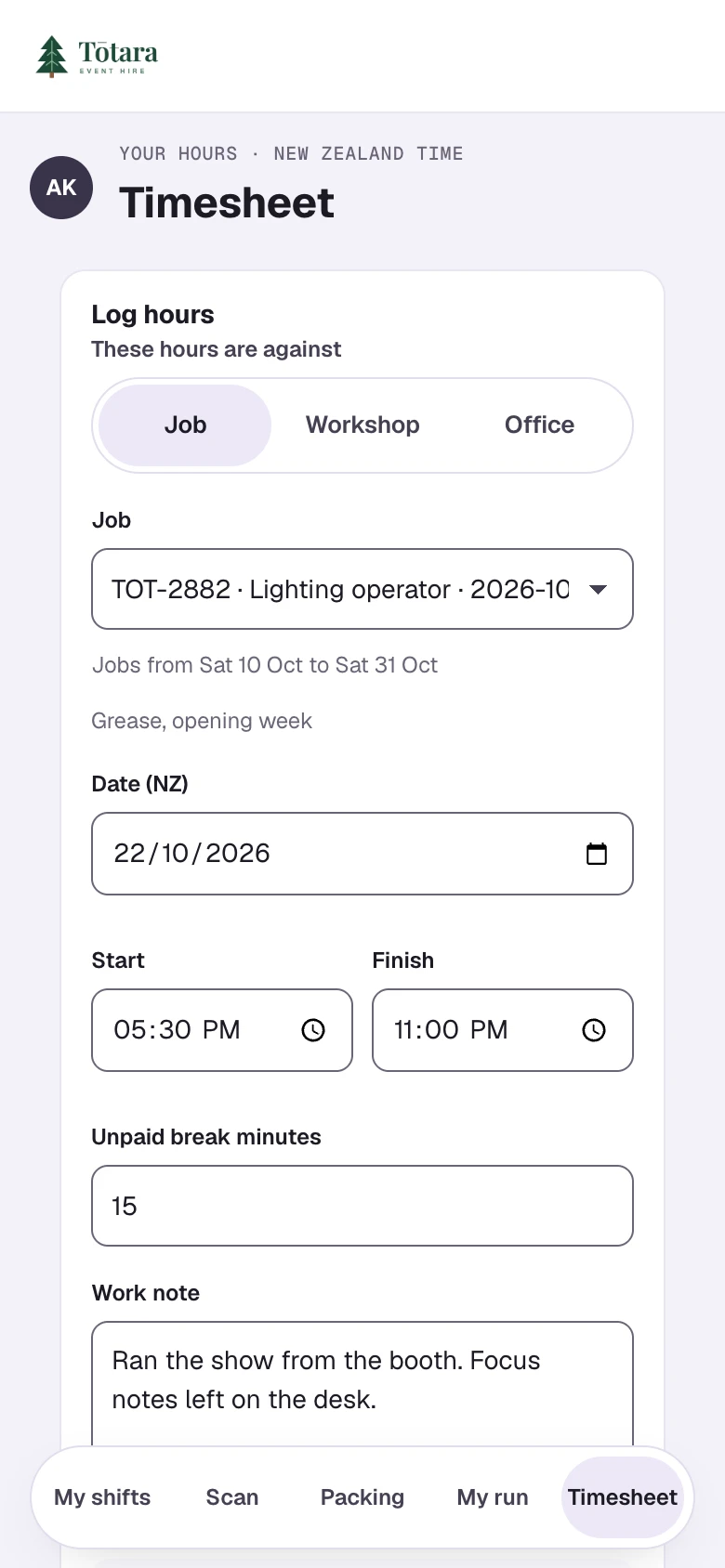
Crew log start, finish and breaks against a job, the workshop or the office. Coordinators approve each entry, and payroll exports as a CSV batch.
- Q6
Labour agencies
Send one request covering several calls to an agency. They reply from a link, never see your rates or your client, and their cost lands on the job.
The job, in their pocket.
No app to install and no login. A personal link opens a crew member's invitations, shifts, run sheets, site access and timesheet, on any phone.
Links last 90 days unless you choose otherwise, and you can revoke one at any time. Crew links are free on every plan: only staff logins count as seats.
Questions.
- Do crew need a seat?
- No. A seat is a staff login. Crew portal links are free and unlimited on every plan.
- Can crew see what we charge?
- No. The crew portal and the invitation emails never show prices or pay.
- Can we write our own crew emails?
- Yes. Set your own wording for invitations, reminders, crew links and agency requests, with fields, a preview and a test send, and edit any one before it goes.
- How do timesheets get to payroll?
- Coordinators approve or reject each entry, and approved hours export as a CSV batch. A batch can be downloaded again exactly as it was first sent.
Run your next job on Cue-RMS.
Start a 30-day free trial and set your company up yourself.